社区讨论
【新】Luogu-Info 获取洛谷用户信息并实时生成小徽章
灌水区参与者 24已保存回复 42
讨论操作
快速查看讨论及其快照的属性,并进行相关操作。
- 当前回复
- 42 条
- 当前快照
- 1 份
- 快照标识符
- @lodiridg
- 此快照首次捕获于
- 2023/10/31 07:16 2 年前
- 此快照最后确认于
- 2023/11/06 22:33 2 年前
萌新第一次用NodeJS写项目,求支持QAQ
数据每两小时更新一次QAQ
所以不会容易爆网站
这次加了新功能(通过、提交总数、粉丝、AC率)
如果大家不嫌弃可以用我的服务器(当然您也可以自己搭
QAQ
Luogu Info
用于获取洛谷用户信息并实时生成小徽章(Shields)
支持的用法
- 洛谷咕值
- 通过题目(可以设置目标)
- 访客统计
TODO
- 支持洛谷登录
- 添加新功能,如:提交/通过数量,AC率...
目前仅支持使用Cookie的方式来获取个人数据
效果图
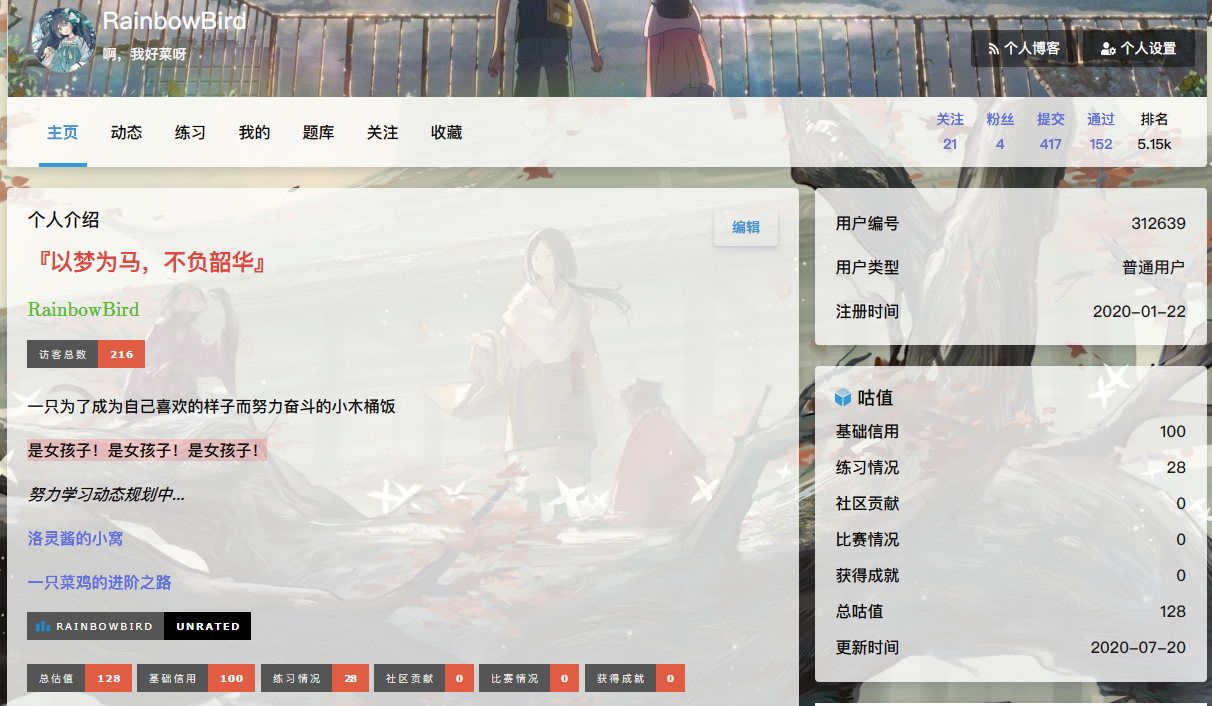
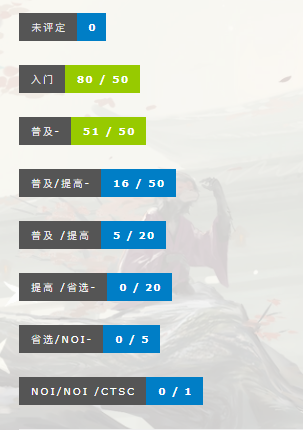
使用方法
需安装NodeJS至10.0版本以上
BASHgit clone https://github.com/rain15z3/luogu-info.git
cd luogu-info/
node .
访问
http://localhost:98/register?uid=xxx&cookie=xxx&save=true以注册账户注意:cookie指的是client_id
以上的地址和端口号改成你自己的,在
config.json中可以设置我的服务器
注意:我的服务器不是很稳定,请谨慎使用
服务器地址:
http://luogu.app.luoling8192.top:98/访问
http://luogu.app.luoling8192.top:98/register?uid=xxx&cookie=xxx&save=true以注册账户同理,把下文中的
localhost换成luogu.app.luoling8192.top就可以了接口
使用的时候请注意大小写
CPPhttp://localhost:98/gen?uid=xxx&query=rating # 总咕值
http://localhost:98/gen?uid=xxx&query=basicRating # 基础信用
http://localhost:98/gen?uid=xxx&query=practiceRating # 练习情况
http://localhost:98/gen?uid=xxx&query=socialRating # 社区贡献
http://localhost:98/gen?uid=xxx&query=contestRating # 比赛情况
http://localhost:98/gen?uid=xxx&query=prizeRating # 获得成就
http://localhost:98/gen?uid=xxx&query=visitor               # 总访客数
http://localhost:98/gen?uid=xxx&query=ac                    # AC率(百分比)
http://localhost:98/gen?uid=xxx&query=passedProblemCount    # 通过数量
http://localhost:98/gen?uid=xxx&query=submittedProblemCount # 提交数量
http://localhost:98/gen?uid=xxx&query=followerCount         # 粉丝数量
http://localhost:98/gen?uid=xxx&query=followingCount        # 关注数量
# to表示目标数量,达到目标后颜色会变成绿色
http://localhost:98/gen?uid=xxx&query=problem0              # 未评定
http://localhost:98/gen?uid=xxx&query=problem1&to=50        # 红题
http://localhost:98/gen?uid=xxx&query=problem2&to=50        # 橙题
http://localhost:98/gen?uid=xxx&query=problem3&to=50        # 黄题
http://localhost:98/gen?uid=xxx&query=problem4&to=20        # 绿题
http://localhost:98/gen?uid=xxx&query=problem5&to=20        # 蓝题
http://localhost:98/gen?uid=xxx&query=problem6&to=5         # 紫题
http://localhost:98/gen?uid=xxx&query=problem7&to=1         # 黑题
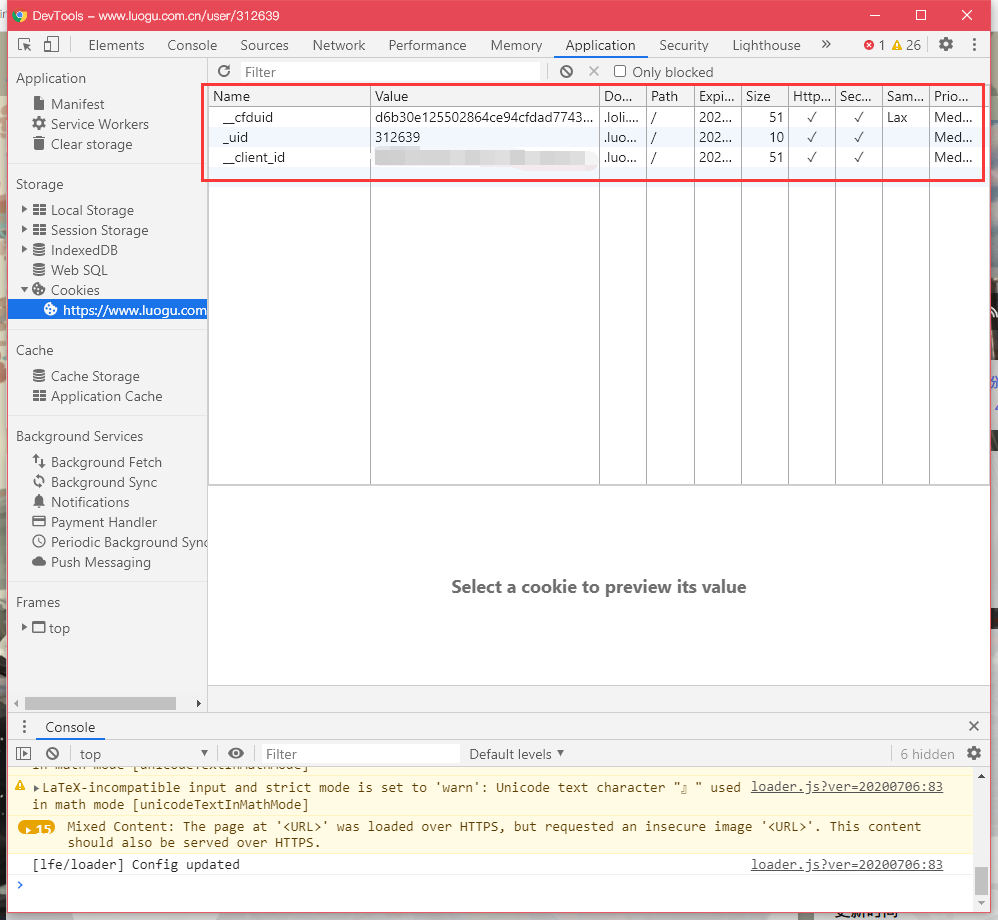
Cookie获取方法
uid和client_id都可以在网站的Cookie里面找到以Chrome为例,进入Dev Tools(F12)后可以找到
回复
共 42 条回复,欢迎继续交流。
正在加载回复...