专栏文章
查看个人主页方法
个人记录参与者 6已保存评论 8
文章操作
快速查看文章及其快照的属性,并进行相关操作。
- 当前评论
- 8 条
- 当前快照
- 1 份
- 快照标识符
- @mjl5erap
- 此快照首次捕获于
- 2025/12/25 15:55 2 个月前
- 此快照最后确认于
- 2025/12/25 15:55 2 个月前
 我的主页
我的主页以下已经作废。
(转载自这)
手动法
右键红框,点击“检查”键:
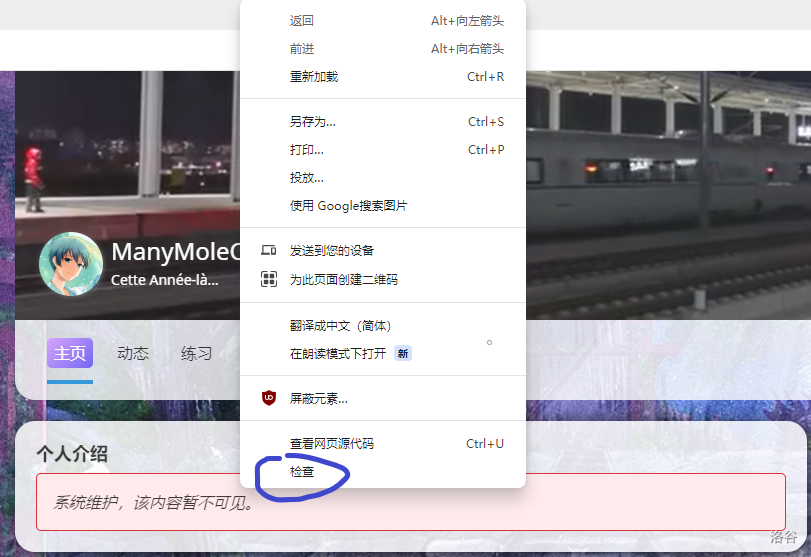
会蹦出来一个窗口,并且指向一行字:
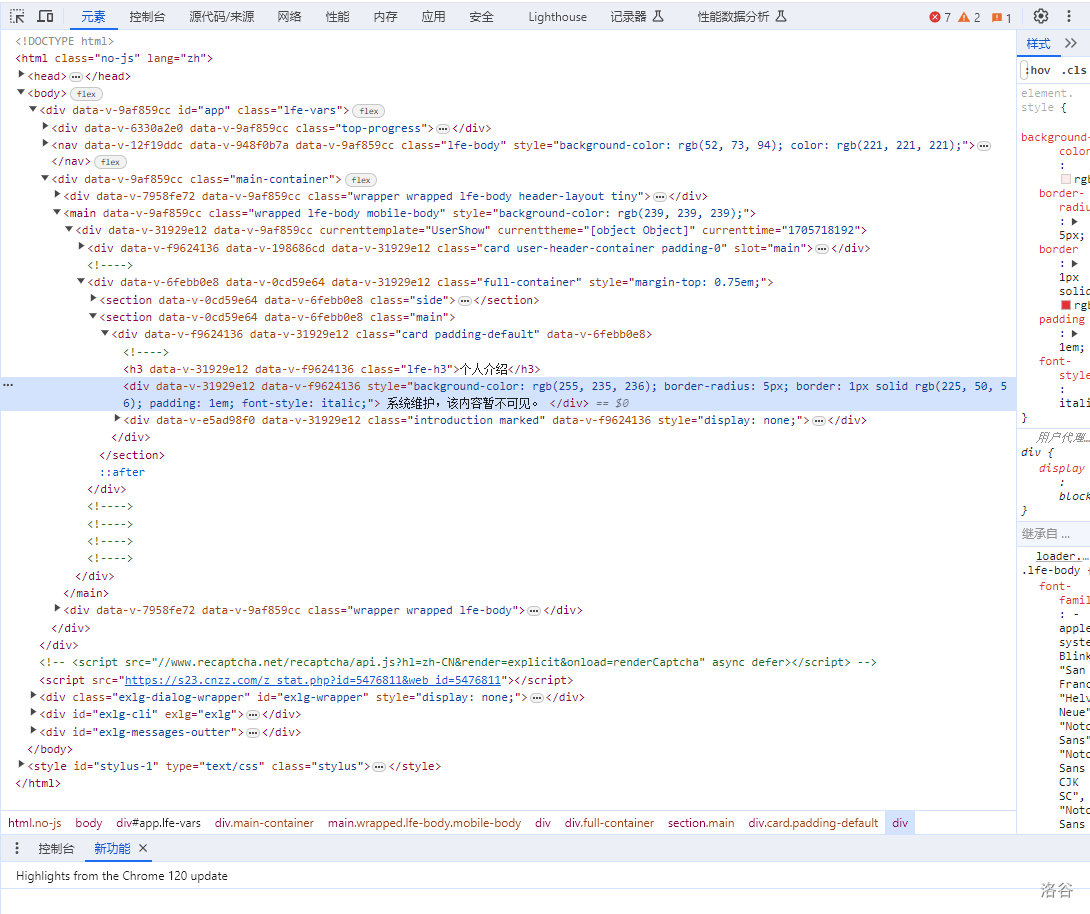
删掉这一行字,并将下面一行字的
style="display: none;" 删去。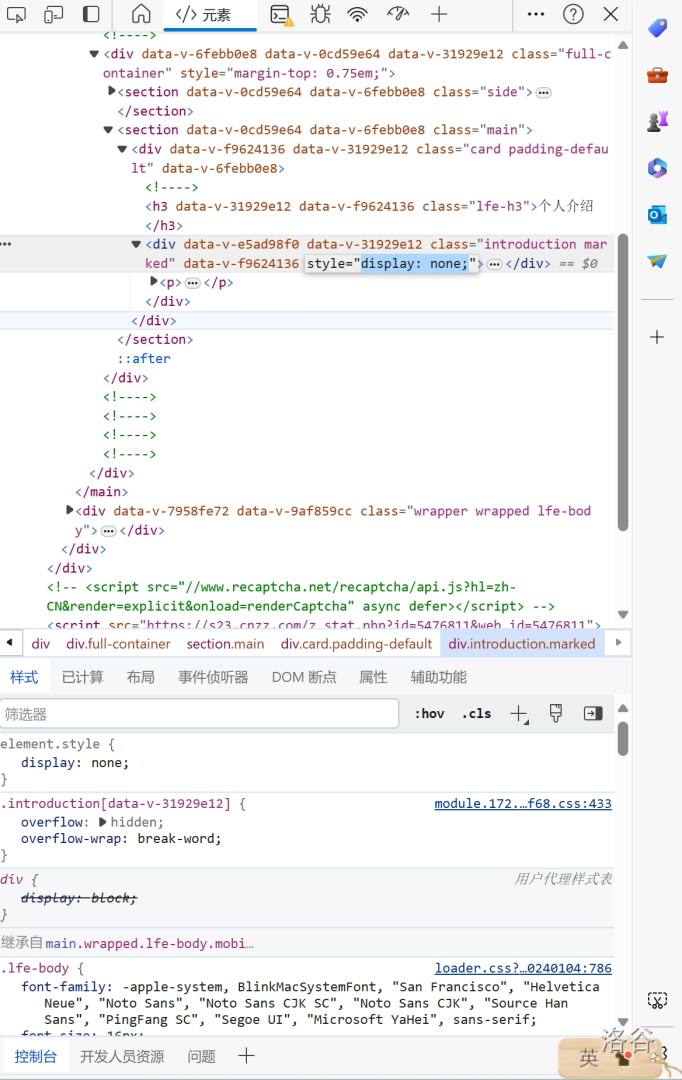
然后点右上角的“×”,就能看到个人主页了。不要刷新!!!!!!
自动法
进个人主页
按下F12
找到console
将以下代码Ctrl进去
JS// ==UserScript==
// @name Luogu User Content Block Remover
// @namespace http://tampermonkey.net/
// @version 2024-01-20
// @match https://www.luogu.com.cn/user/*
// @grant none
// ==/UserScript==
// mark 一下,现在有切换 tab 以后没法再加载只能刷新的 bug,也不知道咋修。
// 直接监听 url 似乎不可行
(function() {
'use strict';
function wait(calb, cond) {
if (cond()) {
return calb();
} else {
setTimeout(function() {
wait(calb, cond);
}, 0);
}
}
wait(function() {
let t = document.querySelector(".introduction.marked");
if (t.style.display === "none") {
t.style.display = "block";
for (let i = 0; i < t.parentElement.children.length; i++) {
if (t.parentElement.children[i].innerText === '系统维护,该内容暂不可见。') {
t.parentElement.children[i].remove();
}
}
}
}, function() {
return document.querySelector(".introduction.marked") !== null;
});
})();
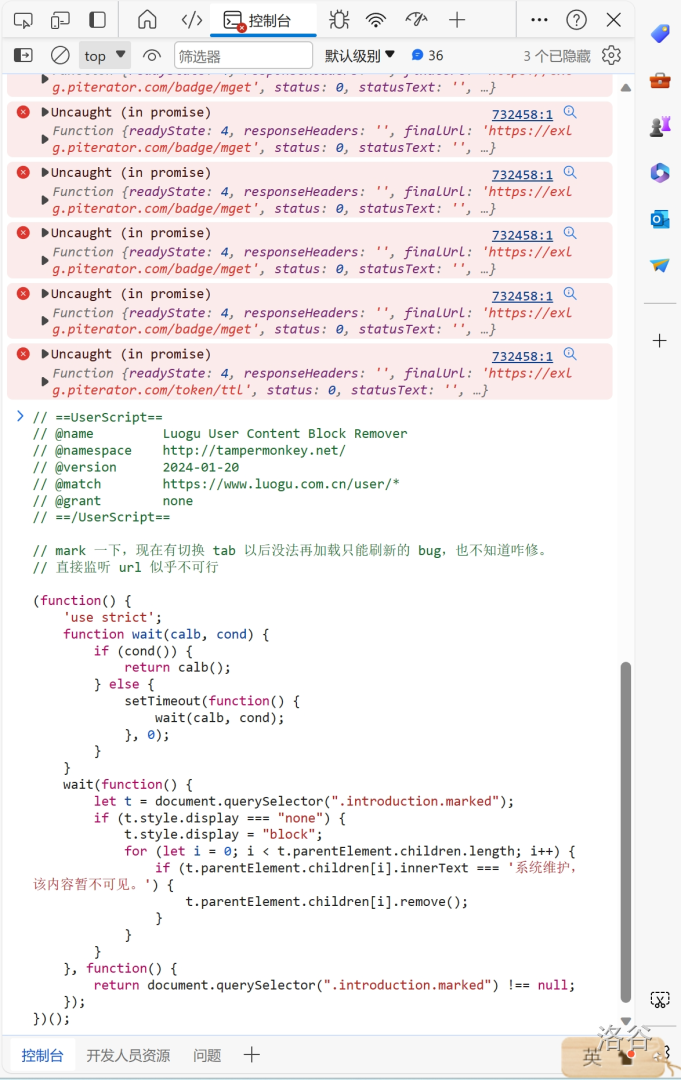
等一会儿
就好了

相关推荐
评论
共 8 条评论,欢迎与作者交流。
正在加载评论...